close icon

Start Improving Quality Today

Connect with a vision expert to solve inspection challenges and eliminate your defects.

Inspecting 1B+ parts annually for Fortune 500 manufacturers

insertpageurl
To learn more about how Elementary uses your information, see our Privacy Policy.
check mark icon
Thank you! Our team will be in touch within 1 business day.
Oops! Something went wrong while submitting the form.
[ Tools · Align ]

In position.
In tolerance.
Every time.

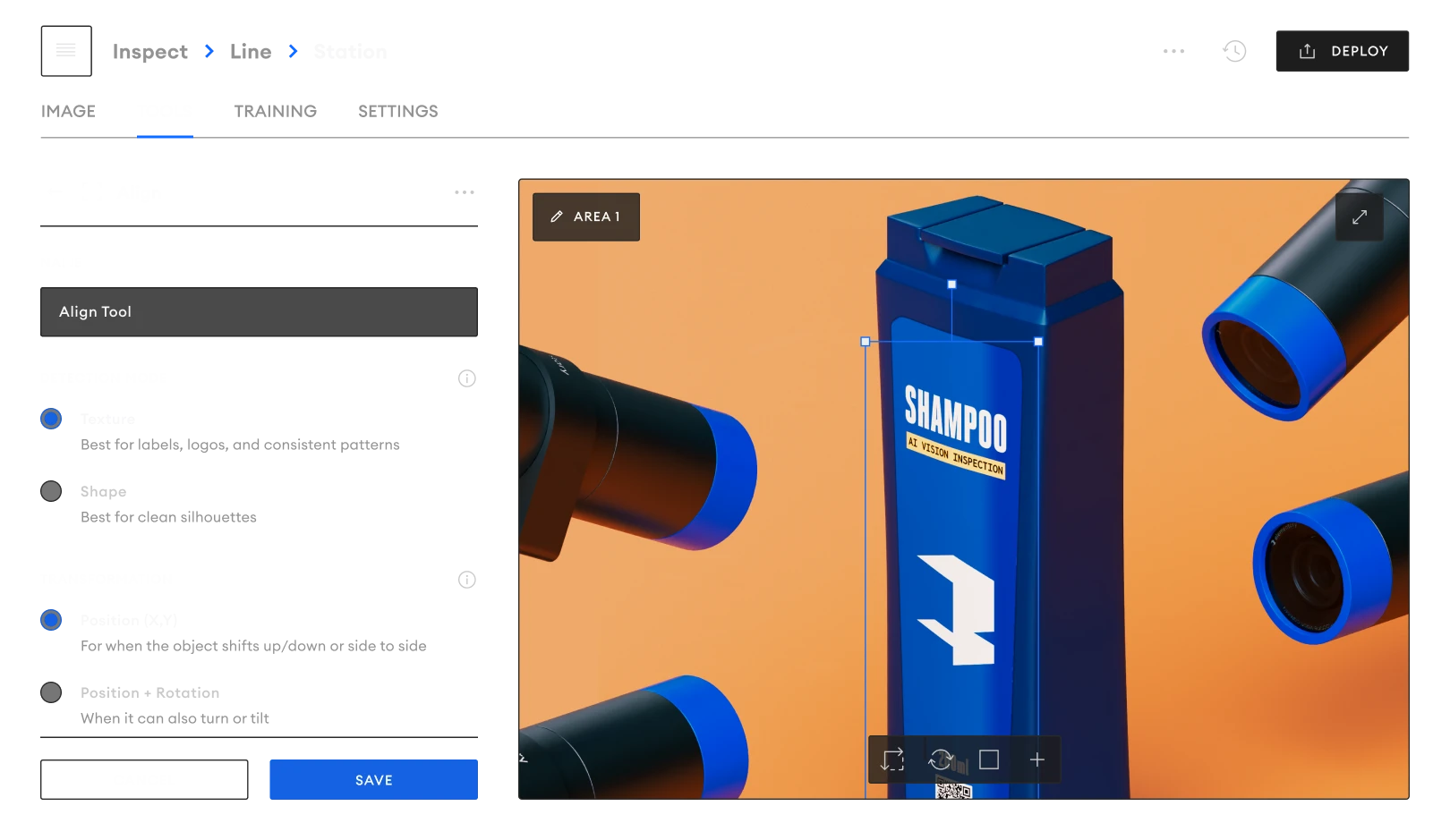
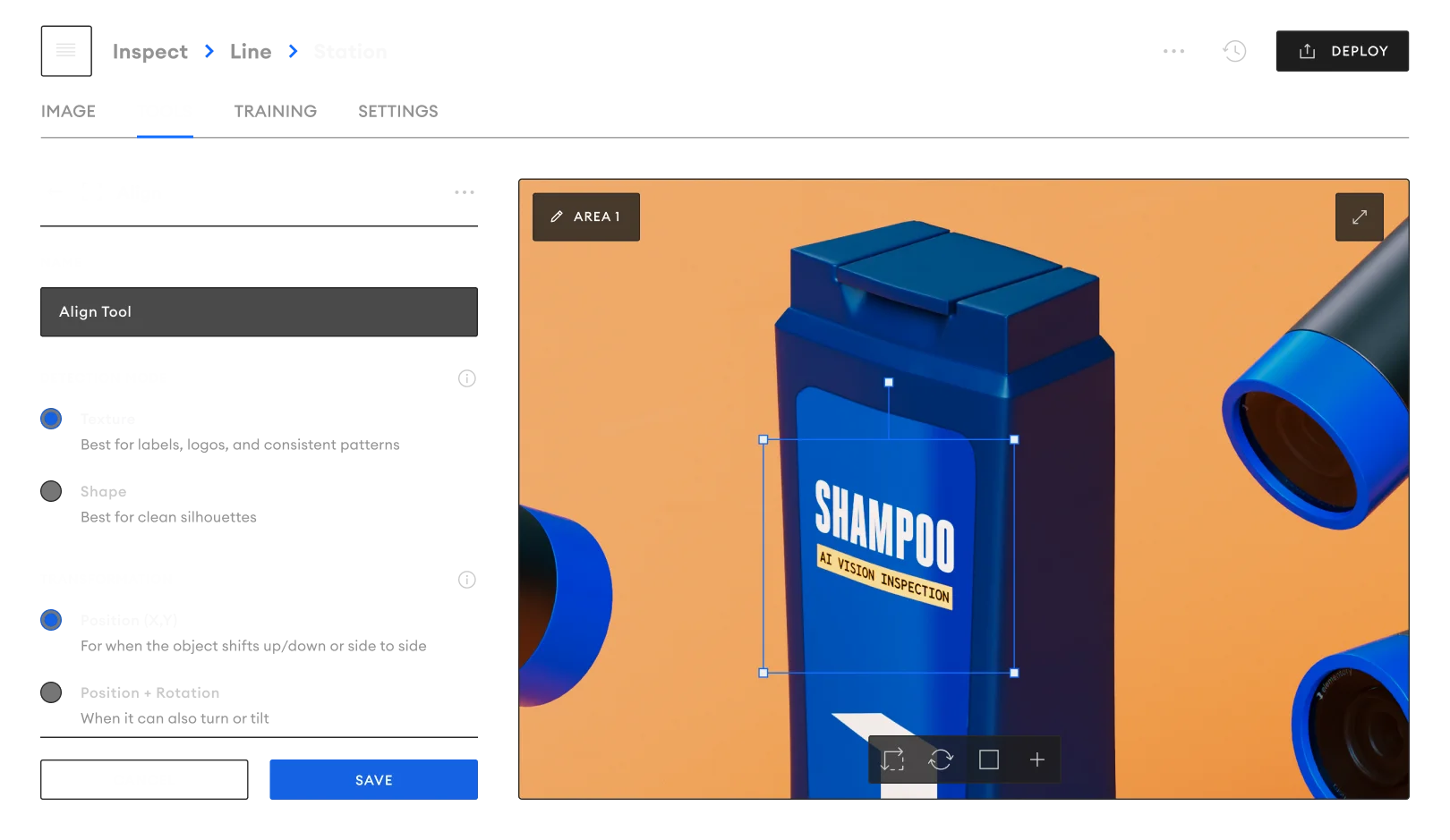
Align locks onto your part before anything else inspects it. Pick a detection mode, set how much shift, rotation, and scale you’ll allow, and every downstream tool sees the part in the same place every time.
Factory Line
Two modes, one decision

Texture mode for labels, logos, and consistent patterns — the printed detail most parts already carry

Shape mode for clean silhouettes — when the outline is what stands out

Texture mode for labels, logos, and consistent patterns — the printed detail most parts already carry

Dummy Image
Dummy Image
Tolerances in the units you think in

Max shift in pixels, max rotation in degrees, max scale as a multiplier — no abstract sensitivity number to guess at

Three transformation levels — position only, position + rotation, or position + rotation + scale

Enable the fewest options you need — extra steps slow detection and risk false matches

Feature-based or area-based

Feature-based detection with ORB, KAZE, AKAZE, or MSER for parts with distinct keypoints

Area-based detection with pyramid levels for smooth, low-texture surfaces

Stacks with any other QualityOS tool on the same camera

Dummy Image
Two modes, one decision

Texture mode for labels, logos, and consistent patterns — the printed detail most parts already carry

Shape mode for clean silhouettes — when the outline is what stands out

Texture mode for labels, logos, and consistent patterns — the printed detail most parts already carry

Dummy Image
Dummy Image
Tolerances in the units you think in

Max shift in pixels, max rotation in degrees, max scale as a multiplier — no abstract sensitivity number to guess at

Three transformation levels — position only, position + rotation, or position + rotation + scale

Enable the fewest options you need — extra steps slow detection and risk false matches

Feature-based or area-based

Feature-based detection with ORB, KAZE, AKAZE, or MSER for parts with distinct keypoints

Area-based detection with pyramid levels for smooth, low-texture surfaces

Stacks with any other QualityOS tool on the same camera

Dummy Image

Use Cases

Root Cause Analysis Icon

Label placement

Verify labels land where they should — flag skew, offset, and rotation before mislabeled units leave the line.

Instant Edge Notifications Icon

Cap and closure orientation

Confirm caps, lids, and closures seat straight — within the rotation tolerance you set.

Advanced Segmentation Icon

Fixture drift detection

Spot gradual drift in jigs and fixtures across shifts, before it becomes a scrap problem.

Unlimited Models Icon

Robotic pick verification

Confirm parts are placed correctly after every robotic pick-and-place cycle.

Legacy-to-Cloud Bridge Icon

Die-cut registration

Keep print and cut in register on converting and packaging lines running at speed.

Smart Vision Inspection Tools Icon

Assembly seating checks

Verify components are fully seated and oriented before the next station adds cost.

Frequently Asked Questions

FAQs

How tight a tolerance can Align hold?

You set it. Max shift in pixels, max rotation in degrees, and max scale as a multiplier — plus a reprojection threshold when you need to tighten the fit further.

Do we need fixtures or precise part positioning?

No. Align locates the part in frame first, so it works on free-flowing lines as well as fixtured stations.

How long does setup take?

Most Align checks are configured in minutes — draw a region of interest on a live image, set the tolerance, deploy.

Can it run alongside other QualityOS tools?

Yes. Align stacks with Anomaly, Text, Barcode, and the rest on the same camera and the same frame.

See Align
on your line

From manual checks to real-time position verification — in minutes, not weeks.

Radian Camera